Cloud Hosting
Cloud Server vs VPS: What’s the Difference and Which Is Better for Your Business?
If you’re running a SaaS platform, digital agency, ecommerce store, education portal, or a data-heavy service in finance or insurance, your hosting is more than a line item – it’s part of your product.
On paper, VPS (Virtual Private Server) and cloud servers often look identical: same CPU, RAM, storage, and similar pricing.
Which is exactly why smart teams still end up on the wrong one.
The real difference only shows up when something goes wrong – during a campaign launch, a reporting deadline, a student intake rush, or when a key client logs in and your platform isn’t there.
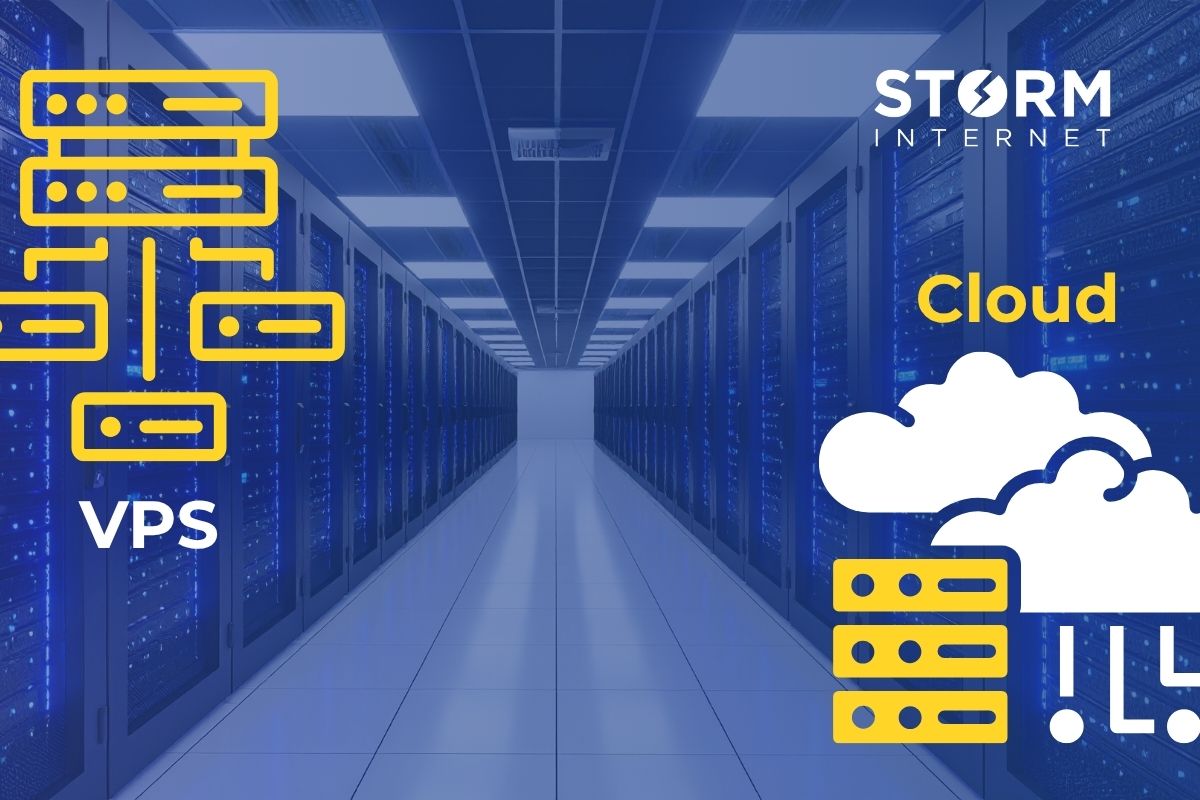
A VPS runs on a single physical machine, while a cloud server runs on a cluster of servers with built-in redundancy.
That one architectural difference determines whether your app quietly rides out problems in the background — or goes offline in front of your customers.
Cloud Server vs VPS (Quick Answer)
- A VPS runs on one physical server — if it fails, your app or site goes offline.
- A cloud server runs across multiple machines — failures are absorbed automatically.
- VPS is cheaper upfront but carries more risk, especially as usage and expectations grow.
- Cloud is designed for resilience, scaling, and business-critical workloads.
Simple analogy:
A VPS is like one flat in one building.
A cloud server is like having identical flats across multiple buildings — with someone moving you automatically if there’s a problem.
You shouldn’t need to be an infrastructure expert to make this call. This guide explains the difference in plain English, from a founder/CTO perspective, so you can choose without risking “hosting embarrassment.”
What is a VPS (Virtual Private Server)?
A VPS is a virtual machine carved out of a single physical server.
That server is divided into multiple isolated environments, each acting like its own server. You get control, flexibility, and dedicated resources — without paying for a full machine.
The catch is simple: Your VPS is still tied to one physical host.
If that server has a hardware issue, disk failure, or power problem, your VPS goes down with it. For internal tools or non-critical sites, that might be acceptable. For customer-facing platforms, it usually isn’t.
VPS is typically suitable for:
- Small websites, brochure sites, or blogs
- Development and staging environments
- Internal dashboards and low-risk tools
- Early experiments or MVPs where downtime is tolerable
If you see terms like “single node,” “host server,” or “VPS infrastructure,” you’re usually looking at this model.
What is a Cloud Server?
A cloud server is also a virtual machine — but it runs on a cluster of interconnected servers, not just one.
Instead of relying on a single piece of hardware, cloud platforms are designed for redundancy, failover, and high availability.
In a true cloud environment:
- Your server can restart on another host if one fails.
- Data is stored on redundant storage, not a single disk.
- The platform continuously monitors and heals itself.
- Scaling is built in, rather than a late-night emergency task.
If you’re running:
- A SaaS product with paying customers
- An ecommerce site with campaigns and seasonal peaks
- An agency platform hosting multiple client sites
- An LMS, portal, or student-facing system
- A financial or insurance platform with large data sets and SLAs
…then this design is what keeps you online when usage spikes or hardware fails.
You get the peace of mind that if something does go wrong under the hood, there’s a safety net rather than a cliff edge.
VPS vs Cloud Server: Key Differences
Here’s the difference at a glance:
| Aspect | VPS | Cloud Server |
| Infrastructure | Single physical server | Cluster of servers |
| Redundancy | None by default | Built-in redundancy |
| Failover | Manual recovery | Automated failover |
| Scaling | Limited, often disruptive | Flexible, low disruption |
| Storage | Tied to one machine | Distributed or replicated (better for large datasets) |
| Uptime design | “Good enough” | High-availability focused |
| Risk level | Higher | Lower |
The key difference: a VPS depends on one machine, a cloud server is designed to survive failure and growth.
The Hidden Risk: When “Good Enough” Isn’t
For many teams, the story looks like this:
- You launch on a VPS — cheap, familiar, and “fine for now.”
- Traffic grows. You add more customers, more data, more integrations.
- The infrastructure stays the same — still one server, limited backups, no real failover.
- You run a big campaign, onboard a large client, or hit a busy period.
- A hardware issue, disk failure, or network problem hits at the worst possible time.
- Your platform goes offline, and you’re explaining downtime instead of shipping features.
Your users don’t care whether it was “just the VPS host” or “a RAID issue.” They see failed checkouts, unavailable dashboards, delayed student access, or missing reports.
That’s hosting embarrassment: when a sensible early infrastructure choice becomes a visible business problem.
If this sounds uncomfortably familiar, you’re not alone. Most SaaS, ecommerce, and digital teams start on “good enough” hosting and only discover the risks once they matter most.
If you’re not sure whether your current setup would survive a failure or a spike, it’s worth checking before your busiest week of the year.
Why Cloud Servers Reduce That Risk
Cloud servers are designed to remove single points of failure and cope with changing demand — exactly the issues that matter to SaaS and data-heavy businesses.
- No Single Point of Failure
If one physical server fails, your system restarts elsewhere.
Result: hardware issues don’t automatically become outages for your users.
For a subscription product, that can be the difference between a quiet incident log and a churn driver.
- Automated Failover
Cloud platforms continuously monitor underlying hardware and react instantly.
Result: many problems are handled before your customers, students, or clients ever notice.
Instead of firefighting at 2am, you get a notification that something was handled for you.
- Safer Scaling for Campaigns and Spikes
Need more capacity for a product launch, ad campaign, enrolment period, or end-of-year reporting?
With cloud servers you can increase resources without rehoming everything to a different box.
Result: growth and peaks don’t automatically mean risky migrations or last-minute capacity hacks.
- Better Fit for Large Storage and Data
If you’re holding customer files, documents, media, or historical records (think insurance documents, transaction histories, student data), tying that to a single physical machine is a risk.
Cloud storage and properly designed cloud servers can:
- Spread data across resilient storage
- Make backups and snapshots part of the normal process
- Reduce the “what if that disk dies?” anxiety
Result: faster recovery and less reliance on manual backup routines living in someone’s calendar.
With the right managed provider on top of this, you’re not just buying infrastructure — you’re adding a team whose job is to keep your platform steady while you focus on product and customers.
“But a VPS is cheaper…” — The Real Cost
On a spreadsheet, a VPS almost always wins the monthly price comparison.
But that’s not the full cost picture for a growing SaaS, agency, or ecommerce brand.
Consider:
- One outage during a major campaign or key customer demo can cost more than a year of savings.
- Downtime damages trust — missed SLAs, failed logins, aborted checkouts.
- Your senior team loses days on incident calls, post-mortems, and catch-up work.
Even a short outage at the wrong moment can outweigh months of saved hosting fees.
A VPS is cheaper upfront — but riskier over time, especially once you’re beyond the “side project” stage. For most serious platforms, cloud starts to look like the calmer, more predictable option once you factor in the real costs.
How to Choose: A Simple Decision Framework
You don’t need to be a systems engineer. Answer these three questions:
- What Happens if This Goes Down?
- Minor inconvenience, internal-only, or early-stage experiment → VPS is fine.
- Revenue, customer satisfaction, SLAs, or reputation on the line → Choose cloud.
- Who’s Expecting You to Prove Reliability?
- No formal expectations, no contracts, no audits → VPS can work.
- Enterprise customers, compliance-heavy sectors (finance, insurance, education, healthcare), or partner SLAs → Cloud is safer, especially with managed hosting and clear SLAs.
- Do You Have Time (and Appetite) to Manage the Risk Yourself?
- You have in-house ops/DevOps capacity and are happy to own incidents → VPS gives control, but also more responsibility.
- You’d rather your team focus on product, clients, and growth than babysitting servers → Cloud with managed support reduces effort and risk.
A good hosting partner should be able to walk your leadership team through this in one short session, map it to your architecture, and show you the real trade-offs.
Key Takeaways
- A VPS runs on one physical server — if it fails, your platform goes down with it.
- A cloud server runs on a resilient platform designed to handle failures and spikes.
- VPS suits low-risk, non-critical workloads, early experiments, and internal tools.
- Cloud is the safer default for customer-facing, revenue-generating, or compliance-sensitive systems.
- For teams with large storage needs (documents, media, records), cloud reduces the “single disk” risk.
- Small monthly savings on hosting can easily vanish in a single outage or missed SLA.
Paired with a proactive managed team, the right cloud setup gives you fewer nasty surprises, more predictable availability, and more headspace to grow the business.
FAQs
What is the difference between VPS and cloud hosting?
A VPS runs on a single physical machine, while cloud hosting runs across a cluster of servers with built-in redundancy and failover. If the VPS host fails, your app goes down; in a cloud environment, workloads can be moved to healthy machines.
Is cloud hosting better than VPS for SaaS?
For most paid, customer-facing SaaS platforms, yes. Cloud hosting reduces downtime risk, handles growth and spikes more gracefully, and makes it easier to meet customer expectations and SLAs.
When is a VPS still a good choice?
For small, low-risk projects, internal tools, MVPs, or non-critical sites where occasional downtime is acceptable and keeping costs rock-bottom matters more than availability.
Are cloud servers more expensive?
Usually, yes on a pure monthly bill. But when you factor in avoided outages, less firefighting, and smoother growth, cloud often works out cheaper overall for serious products and platforms.
What about security and compliance-heavy sectors like finance or insurance?
Security depends more on configuration, monitoring, and process than on VPS vs cloud. That said, cloud platforms – especially managed ones – typically make it easier to implement strong security controls, segregation, encryption, and retention policies that regulators expect.
Can you migrate from VPS to cloud without major disruption?
Yes, but it needs planning. With the right partner, you can often move in stages, minimise downtime, and modernise your setup as you go, rather than in one risky “big bang.”
Does cloud hosting guarantee 100% uptime?
No one can promise 100%. But properly designed cloud environments significantly reduce downtime and recover faster when something does go wrong.
Final Thought
If you’re responsible for a SaaS product, client platforms, a busy ecommerce store, or data-heavy services, the real question isn’t “VPS or cloud?”
It’s:
Can we afford this to go down – and how often?
If the honest answer is “not really,” then moving to a resilient cloud platform, backed by people whose day job is to keep it running, isn’t overkill. It’s just good leadership.
More related news
Developers
Low-code + custom: when to use low-code tools in your SaaS stack (and when not to)
Low-code has become a practical part of many SaaS stacks – because...

SaaS
Managing Unplanned Growth: Autoscaling & Cost Controls for Burst Traffic
When growth arrives unannounced – viral link, investor announcement, seasonal rush –...
Speak with a Storm Expert
Please leave us your details and we'll be in touch shortly
A Trusted Partner